
diff options
Diffstat (limited to '')
| -rw-r--r-- | docs/concepts/linux/de.md | 8 | ||||
| -rw-r--r-- | docs/concepts/linux/wm.md | 11 | ||||
| -rw-r--r-- | docs/concepts/operating_system/file_system.md (renamed from docs/concepts/operating_system/file_systems.md) | 2 | ||||
| -rw-r--r-- | docs/distros/arch/archlinux.md | 4 | ||||
| -rw-r--r-- | docs/distros/arch/artixlinux.md | 4 | ||||
| -rw-r--r-- | docs/distros/arch/cachy.md | 4 | ||||
| -rw-r--r-- | docs/distros/debian/linuxmint.md | 4 | ||||
| -rw-r--r-- | docs/distros/debian/ubuntu.md | 4 | ||||
| -rw-r--r-- | docs/distros/rhel/almalinux.md | 4 | ||||
| -rw-r--r-- | docs/distros/rhel/fedora.md | 6 | ||||
| -rw-r--r-- | docs/distros/rhel/rhel.md | 4 | ||||
| -rw-r--r-- | docs/distros/rhel/rocky.md | 4 | ||||
| -rw-r--r-- | docs/getting-started/before-installing.md | 16 | ||||
| -rw-r--r-- | docs/getting-started/install.md | 47 | ||||
| -rw-r--r-- | docs/getting-started/post-installation.md | 37 | ||||
| -rw-r--r-- | docs/getting-started/purpose.md | 1 |
16 files changed, 130 insertions, 30 deletions
diff --git a/docs/concepts/linux/de.md b/docs/concepts/linux/de.md index 0ade6a5..06350fe 100644 --- a/docs/concepts/linux/de.md +++ b/docs/concepts/linux/de.md @@ -13,7 +13,7 @@  - COSMIC: 拥有优秀的窗口管理机制,自定义性强  - - Hyprland: 平铺窗口管理器,具有炫酷的视觉效果,并拥有Wayland的最新特性,不过配置复杂,并且只建议在Arch Linux上获得最佳体验 - 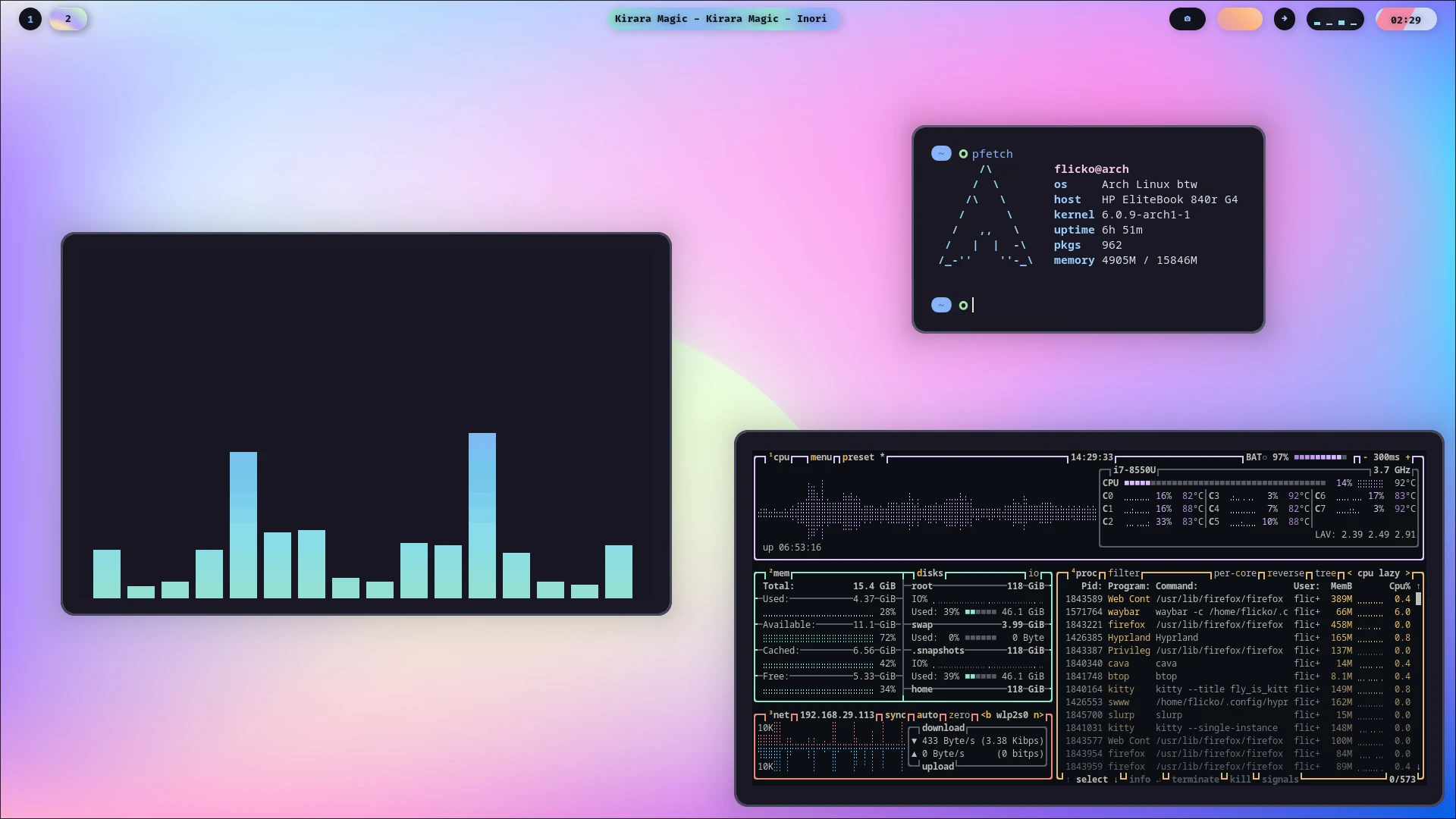 - - Niri: 滚动窗口管理器,比Hyprland更适合生产环境与触控板逻辑,同样配置复杂,但发行版覆盖范围广 -  + + **Hyprland与Niri不是桌面环境,而是窗口管理器。** + + **DMS与Noctalia不是桌面环境,而是桌面外壳。** diff --git a/docs/concepts/linux/wm.md b/docs/concepts/linux/wm.md new file mode 100644 index 0000000..c3be677 --- /dev/null +++ b/docs/concepts/linux/wm.md @@ -0,0 +1,11 @@ +# 窗口管理器 + +英文:Window Manager (DE) + +## 解释 + +窗口管理器用于管理窗口的放置、配色等等。 + +**Hyprland与Niri不是桌面环境,而是窗口管理器。** + +传送门:[ArchWiki](https://wiki.archlinuxcn.org/wiki/%E7%AA%97%E5%8F%A3%E7%AE%A1%E7%90%86%E5%99%A8)
\ No newline at end of file diff --git a/docs/concepts/operating_system/file_systems.md b/docs/concepts/operating_system/file_system.md index e908d2c..969d0f9 100644 --- a/docs/concepts/operating_system/file_systems.md +++ b/docs/concepts/operating_system/file_system.md @@ -1,6 +1,6 @@ # 文件系统 -英文:File Systems +英文:File System ## 解释 diff --git a/docs/distros/arch/archlinux.md b/docs/distros/arch/archlinux.md index ee3ce7e..135fde7 100644 --- a/docs/distros/arch/archlinux.md +++ b/docs/distros/arch/archlinux.md @@ -16,7 +16,7 @@ Arch Linux 是 Linux 社区中最受欢迎的独立滚动更新(Rolling Releas - 镜像下载地址: - - TUNA: https://mirrors.tuna.tsinghua.edu.cn/archlinux/iso/ - - USTC: https://mirrors.ustc.edu.cn/archlinux/iso/ - - - CERNET: https://mirrors.cernet.edu.cn/archlinux/iso/ + - - MirrorZ: https://mirrors.cernet.edu.cn/archlinux/iso/ - 包管理器:pacman !!! warning "警告" Arch 严禁“部分升级”(Partial Upgrade)。请勿在未同步升级全系统的情况下单独安装或更新某个软件,否则极易导致系统依赖断裂造成所谓的 **“滚挂”** !此外,推荐配置 **AUR (Arch User Repository)** 并配合 yay 或 paru 等助手使用,可以提升使用体验。 @@ -24,5 +24,5 @@ Arch Linux 是 Linux 社区中最受欢迎的独立滚动更新(Rolling Releas - 换源教程: - - TUNA: https://mirrors.tuna.tsinghua.edu.cn/help/archlinux/ - - USTC: https://mirrors.ustc.edu.cn/help/archlinux.html - - - CERNET: https://help.mirrors.cernet.edu.cn/archlinux/ + - - MirrorZ: https://help.mirrors.cernet.edu.cn/archlinux/ diff --git a/docs/distros/arch/artixlinux.md b/docs/distros/arch/artixlinux.md index 27d3b47..7954fab 100644 --- a/docs/distros/arch/artixlinux.md +++ b/docs/distros/arch/artixlinux.md @@ -15,13 +15,13 @@ Artix Linux 是一个基于 Arch Linux 的独立硬核发行版。它最大的ç‰ - 镜像下载地址: - - TUNA: https://mirrors.tuna.tsinghua.edu.cn/artixlinux-iso/ - - USTC: 无 - - - CERNET: 无 + - - MirrorZ: 无 - 包管理器:pacman - 更新方式:滚动 - 换源教程: - - TUNA: 无,镜像地址: https://mirrors.tuna.tsinghua.edu.cn/artixlinux/ - - USTC: 无 - - - CERNET: 无,镜像地址: https://mirrors.cernet.edu.cn/artixlinux/ + - - MirrorZ: 无,镜像地址: https://mirrors.cernet.edu.cn/artixlinux/ ## 风味 diff --git a/docs/distros/arch/cachy.md b/docs/distros/arch/cachy.md index 7414c5e..ae28225 100644 --- a/docs/distros/arch/cachy.md +++ b/docs/distros/arch/cachy.md @@ -17,13 +17,13 @@ CachyOS 是一个基于 Arch Linux 优化的高性能滚动更新发行版。它 - 镜像下载地址: - - TUNA: 无 - - USTC: https://mirrors.ustc.edu.cn/cachyos/ISO/ - - - CERNET: https://mirrors.cernet.edu.cn/cachyos/ISO/ + - - MirrorZ: https://mirrors.cernet.edu.cn/cachyos/ISO/ - 包管理器:pacman - 更新方式:滚动 - 换源教程: - - TUNA: 无 - - USTC: https://mirrors.ustc.edu.cn/help/cachyos.html - - - CERNET: 无 + - - MirrorZ: 无 ## 风味 diff --git a/docs/distros/debian/linuxmint.md b/docs/distros/debian/linuxmint.md index d24daaa..0ad9173 100644 --- a/docs/distros/debian/linuxmint.md +++ b/docs/distros/debian/linuxmint.md @@ -16,13 +16,13 @@ Linux Mint 是公认对 Windows 迁移用户最友好的 Linux 发行版。它ä¸ - 镜像下载地址: - - TUNA: https://mirrors.tuna.tsinghua.edu.cn/linuxmint-cd/ - - USTC: https://mirrors.ustc.edu.cn/linuxmint-cd/ - - - CERNET: https://mirrors.cernet.edu.cn/linuxmint-cd/ + - - MirrorZ: https://mirrors.cernet.edu.cn/linuxmint-cd/ - 包管理器:apt - 更新方式:版本 - 换源教程: - - TUNA: https://mirrors.tuna.tsinghua.edu.cn/help/linuxmint/ - - USTC: https://mirrors.ustc.edu.cn/help/linuxmint.html - - - CERNET: https://help.mirrors.cernet.edu.cn/linuxmint/ + - - MirrorZ: https://help.mirrors.cernet.edu.cn/linuxmint/ ## 风味 diff --git a/docs/distros/debian/ubuntu.md b/docs/distros/debian/ubuntu.md index 41be0f4..97e9514 100644 --- a/docs/distros/debian/ubuntu.md +++ b/docs/distros/debian/ubuntu.md @@ -16,7 +16,7 @@ Ubuntu是当今最受认可的Linux发行版,也是中国国家操作系统基 - 镜像下载地址: - - TUNA: https://mirrors.tuna.tsinghua.edu.cn/ubuntu-cdimage/ - - USTC: https://mirrors.ustc.edu.cn/ubuntu-cdimage/ - - - CERNET: https://mirrors.cernet.edu.cn/ubuntu-cdimage/ + - - MirrorZ: https://mirrors.cernet.edu.cn/ubuntu-cdimage/ - 包管理器:apt !!! warning "警告" 注意!使用apt安装部分软件时可能[被Snap劫持](https://www.zhihu.com/question/47659130)! @@ -24,7 +24,7 @@ Ubuntu是当今最受认可的Linux发行版,也是中国国家操作系统基 - 换源教程: - - TUNA: https://mirrors.tuna.tsinghua.edu.cn/help/ubuntu-ports/ - - USTC: https://mirrors.ustc.edu.cn/help/ubuntu-ports.html - - - CERNET: https://help.mirrors.cernet.edu.cn/ubuntu-ports/ + - - MirrorZ: https://help.mirrors.cernet.edu.cn/ubuntu-ports/ ## 风味 diff --git a/docs/distros/rhel/almalinux.md b/docs/distros/rhel/almalinux.md index 10d5681..a31330f 100644 --- a/docs/distros/rhel/almalinux.md +++ b/docs/distros/rhel/almalinux.md @@ -16,10 +16,10 @@ ALmaLinux与Rocky Linux一样,是RHEL的开源衍生版本。作为企业级 L - 镜像下载地址: - - TUNA: 无 - - USTC: 无 - - - CERNET: https://mirrors.cernet.edu.cn/almalinux/ + - - MirrorZ: https://mirrors.cernet.edu.cn/almalinux/ - 包管理器:dnf - 更新方式:传统 - 换源教程: - - TUNA: 无 - - USTC: 无 - - - CERNET: 无 + - - MirrorZ: 无 diff --git a/docs/distros/rhel/fedora.md b/docs/distros/rhel/fedora.md index e2ea2f8..be25006 100644 --- a/docs/distros/rhel/fedora.md +++ b/docs/distros/rhel/fedora.md @@ -16,13 +16,13 @@ Fedora是一款前沿、开放的发行版,有着广泛的社区支持,并ä¸ - 镜像下载地址: - - TUNA: https://mirrors.tuna.tsinghua.edu.cn/fedora/releases/ - - USTC: https://mirrors.ustc.edu.cn/fedora/releases/ - - - CERNET: https://mirrors.cernet.edu.cn/fedora/releases/ + - - MirrorZ: https://mirrors.cernet.edu.cn/fedora/releases/ - 包管理器:dnf - 更新方式:传统 - 换源教程: - - TUNA: https://mirrors.tuna.tsinghua.edu.cn/help/fedora/ - - USTC: https://mirrors.ustc.edu.cn/help/fedora.html - - - CERNET: https://help.mirrors.cernet.edu.cn/fedora/ + - - MirrorZ: https://help.mirrors.cernet.edu.cn/fedora/ ## 风味 @@ -77,6 +77,6 @@ Fedora由于版权限制,无法内置H264/H265编解码器,因此需要手åŠ ???+ info "镜像源帮助" - TUNA: https://mirrors.tuna.tsinghua.edu.cn/help/rpmfusion/ - USTC: https://mirrors.ustc.edu.cn/help/rpmfusion.html - - CERNET: https://help.mirrors.cernet.edu.cn/rpmfusion/ + - MirrorZ: https://help.mirrors.cernet.edu.cn/rpmfusion/ 在添加源后,请在终端运行`sudo dnf group install Multimedia`来安装编解码器。
\ No newline at end of file diff --git a/docs/distros/rhel/rhel.md b/docs/distros/rhel/rhel.md index 38c110a..45c8647 100644 --- a/docs/distros/rhel/rhel.md +++ b/docs/distros/rhel/rhel.md @@ -16,13 +16,13 @@ - 镜像下载地址: - - TUNA: 无 - - USTC: 无 - - - CERNET: 无 + - - MirrorZ: 无 - 包管理器:dnf - 更新方式:传统 - 换源教程: - - TUNA: 无 - - USTC: 无 - - - CERNET: 无 + - - MirrorZ: 无 ## 风味 diff --git a/docs/distros/rhel/rocky.md b/docs/distros/rhel/rocky.md index 523ba58..610da83 100644 --- a/docs/distros/rhel/rocky.md +++ b/docs/distros/rhel/rocky.md @@ -16,10 +16,10 @@ Rocky Linux是RHEL的下游版本。在RedHat宣布停止公开RHEL源代码后ï - 镜像下载地址: - - TUNA: 无 - - USTC: https://mirrors.ustc.edu.cn/rocky/ - - - CERNET: https://mirrors.cernet.edu.cn/rocky/ + - - MirrorZ: https://mirrors.cernet.edu.cn/rocky/ - 包管理器:dnf - 更新方式:传统 - 换源教程: - - TUNA: 无 - - USTC: https://mirrors.ustc.edu.cn/help/rocky.html - - - CERNET: https://help.mirrors.cernet.edu.cn/rocky/ + - - MirrorZ: https://help.mirrors.cernet.edu.cn/rocky/ diff --git a/docs/getting-started/before-installing.md b/docs/getting-started/before-installing.md index 64549dc..51d6371 100644 --- a/docs/getting-started/before-installing.md +++ b/docs/getting-started/before-installing.md @@ -81,12 +81,16 @@ - 发行版 - 桌面环境 + - 窗口管理器 + - 平铺/滚动式桌面 ## 调配分区 我们建议您通过专业的分区工具(如[DiskGenius](https://www.diskgenius.cn/)和Windows的磁盘管理单元)进行分区。您需要用分区工具在电脑硬盘上腾出60GB以上(建议值)的**空闲**空间。我们不建议直接在DiskGenius等WIndows下软件创建分区,而是在安装时由安装程序进行创建,这可以保证系统的稳定性和分区一致性。 +我们建议您在操作完分区后用其他设备记录您磁盘的分区图示/顺序,这在安装系统时非常有用。 + !!! warning "警告" 请不要将Linux安装到任何NTFS文件系统的分区,这将导致你的系统完全无法启动!Linux对NTFS的支持尚不完善!我们不建议使用Linux来调整NTFS分区!!! @@ -94,7 +98,11 @@ ## 下载镜像 -您需要先到各发行版介绍中找到“镜像下载链接”下载系统镜像,我们建议您选择最新,并且预装您所需要的桌面环境的版本。 +您需要先到各发行版的官网找到下载按钮,并下载对应系统镜像,但由于中国大陆网络环境,我们并不推荐直接到官网下载。 + +或者,您可以通过开源镜像站进行下载。您可以在“发行版”章节对应选项卡中找到“镜像下载链接”下载系统镜像。 + +我们建议您选择最新,并且预装您所需要的桌面环境的版本。 ???+ note "一些常见的发行版标签" - x86-64/amd64: 大多数PC(一般选这个) @@ -102,7 +110,7 @@ - desktop: 带桌面环境的系统(推荐) - server: 服务器用系统,无桌面环境 -???+ note "一些桌面环境" +???+ note "一些桌面环境/窗口管理器" - KDE (K Desktop Environment): 贴近Windows操作逻辑,有高度的自定义性与丰富主题  - GNOME: 贴近macOS界面,优雅、简洁,有多样的扩展(可能需要安装某些扩展、软件包来获得较好的桌面体验) @@ -118,8 +126,8 @@ 在下载对应镜像后,您需要下载对应的烧录软件来将系统镜像烧录到U盘中。 ???+ note "一些比较热门的烧录软件" - - [Ventoy](https://www.ventoy.net/cn/download.html)(recommend) - - [Rufus](https://rufus.ie/zh/)(recommend) + - [Ventoy](https://www.ventoy.net/cn/download.html)(推荐) + - [Rufus](https://rufus.ie/zh/)(推荐) - [balenaEtcher](https://etcher.balena.io/) - [Raspberry Pi Imager](https://www.raspberrypi.com/software/) diff --git a/docs/getting-started/install.md b/docs/getting-started/install.md index 556bb8c..0343daa 100644 --- a/docs/getting-started/install.md +++ b/docs/getting-started/install.md @@ -3,7 +3,7 @@ 在烧录好U盘后,请您关机后在要安装的设备上插入U盘,按照前文“开启安全启动”的方式进入BIOS,调整启动顺序 (Boot Order),将您的U盘对应引导项调至最上方,保存BIOS并重启。 部分BIOS为全英文界面,并且操作方法因机器而异。在此我们依然建议您使用AI辅助操作或搜寻相关资料。 -???+ note "BIOS localization" +???+ note "BIOS本地化" 在早期CPU中,只有联想的部分主板搭载了中文BIOS。在较新的机器中,大部分已经支持简体中文。 !!! warning "警告" @@ -19,4 +19,47 @@ ???+ note "一般情况黑屏卡死的处理方法" 大多数这种情况是无法加载显卡所致,此时需要在一个启动项上按下e键,找到 `linux ……` 的行,在末尾加上 `nomodeset` 参数。 - 若你是NVIDIA用户,也可以选择加入 `nouveau.modeset=0` 参数。
\ No newline at end of file + 若你是NVIDIA用户,也可以选择加入 `nouveau.modeset=0` 参数。 + +## 安装系统 + +由于各发行版的配置方式不同,我们建议您参照网络上的一些教学视频进行安装配置。 + +???+ note "提示" + 在安装前,我们建议您查看“发行版”章节对应发行版下的“注意事项”一节。 + +一些是一些较为热门的安装教程: + + - Ubuntu: [https://www.bilibili.com/video/BV1CG4y1h7bx](https://www.bilibili.com/video/BV1CG4y1h7bx) + - Fedora: [https://www.bilibili.com/video/BV1ZRpdzaEQj](https://www.bilibili.com/video/BV1ZRpdzaEQj) + - Arch Linux: [https://www.bilibili.com/video/BV1L2gxzVEgs](https://www.bilibili.com/video/BV1L2gxzVEgs) + +或者,您也可以参照较为通用的安装方法: + +### 大通套 + - 语言:简体中文 (Simplified Chinese) + - 时区:Asia/Shanghai (或者其他任何国内城市) + +### 磁盘分区 + +如果您有足够勇气,想要彻底摆脱Windows,请您选择“全盘安装”,由操作系统管理您的分区。 + +或者,如果您想要双系统,请**一定不要选择全盘安装或是类似的选项!**,您应该选择带有“高级 (Advanced)”,“自定义”等字眼的选项。在安装时,请选择您上一章所腾出的磁盘空余。我们建议您将该空间由系统进行管理。 + +!!! warning "警告" + 无论您选择什么,请确保您已经备份该磁盘上所有的重要文件!!! + + +在选择EFI (/boot) 分区时,请选择设备上的ESP分区(通常位于分区图示的最左侧,是一个FAT32文件系统的不大的分区)。 + +### 应用安装 + +若安装过程中提示类似“您是否想要添加第三方软件源?”或是“您是否需要预装软件?”,我们建议您选择“是”。 + +### 安装时注意事项 + +在安装时,请确保您设备的电力供应。若安装出现卡住等状态,我们建议**不到万不得已不要强制关机**,可能是部分文件下载慢导致的。 + +--- + +当系统出现“安装完成”等字样时,恭喜你!你已经成功迈入了Linux的世界!现在,拔下U盘,让我们进入系统吧!
\ No newline at end of file diff --git a/docs/getting-started/post-installation.md b/docs/getting-started/post-installation.md new file mode 100644 index 0000000..90f5935 --- /dev/null +++ b/docs/getting-started/post-installation.md @@ -0,0 +1,37 @@ +# 安装后必做 + +## 换源 + +与Windows不同,Linux采用包管理器统一管理系统的软件包,所以大部分软件需要通过包管理器进行安装。但是由于中国大陆的特殊网络环境,官方的软件仓库下载速率极其缓慢。 + +因此,在安装之后,请务必切换软件源到国内镜像,以保证软件下载与系统更新的速度。 + +???+ "提示" + 在换源之前,我们强烈建议您首先了解发行版对应包管理器的基本命令。您可以参照“概念-软件包”一节。 + +国内主要的开源软件镜像站有以下这些: + + - [TUNA(清华源)](https://mirrors.tuna.tsinghua.edu.cn/): 由清华大学TUNA协会维护,是国内最主流的软件镜像源,以极高的下载速度著称。 + - [USTC(中科大源)](https://mirrors.ustc.edu.cn/) : 由中国科学技术大学与中科大LUG服务器维护小组维护,镜像收录十分广泛,容纳了包括Rocky等(TUNA不愿加)的镜像。 + - [MirrorZ(校园网联合镜像站)](https://mirrors.cernet.edu.cn/): 由中国教育和科研计算机网网络中心(CERNET)提供服务,收录了各大高校所创立的开源镜像站,能够自动重定向至地理位置最近的镜像站。 + +简单来说,TUNA快,USTC广,MirrorZ兜底。您可以任意选择三者中的一个。 + +各个发行版的换源教程,我们已经整理到了对应发行版的选项卡下,您可以自行查阅。(若没有,您也可以登录镜像站官网进行查找。) + +## 时间制(双系统) + +如果您使用的是Windows与Linux双系统,您会发现在从Linux切换至Windows时,时间会发生错位。 + +这是由于Windows采用的时间制是本地时间,也就是BIOS设置中的时间,而Linux默认使用UTC时间(格林尼治标准时间),由于中国属于GMT+8时区,每次切换系统都会导致8个小时的差异。 + +要解决这个问题也很简单,在终端中输入:`timedatectl set-local-rtc 1`即可。 + +!!! warning "已知问题" + Linux下set-local-rtc设置后,会导致夏令时无法自动切换。而在Windows下启用RealTimeIsUniversal则不存在该问题。 + + 如果想要解决,请在Windows下以管理员权限启动PowerShell,并执行:`reg add "HKLM\SYSTEM\CurrentControlSet\Control\TimeZoneInformation" /v RealTimeIsUniversal /t REG_DWORD /d 1 /f` + + **本方案与以上方案选择一个即可,请不要两个同时操作。** + + diff --git a/docs/getting-started/purpose.md b/docs/getting-started/purpose.md index 7f77a76..1aefcd8 100644 --- a/docs/getting-started/purpose.md +++ b/docs/getting-started/purpose.md @@ -61,6 +61,7 @@ - 桌面环境 (DE) - 发行版 + - 窗口管理器 (WM) - 更新模式 好啦,既然你已经准备好了,那我们就向下继续吧! |