
diff options
| author | FangcatChina <f20091219@outlook.com> | 2026-07-21 14:58:29 +0000 |
|---|---|---|
| committer | FangcatChina <f20091219@outlook.com> | 2026-07-21 14:58:29 +0000 |
| commit | f780710fbd45ba1baf9fdee42dde8b65a5c6fb41 (patch) | |
| tree | 9adcece5517e6d7ecfe53ac3fd33ba0b59efe96b /docs/dde/kde.md | |
| parent | New Theme (diff) | |
Fix issues, KDE Desktop
Diffstat (limited to 'docs/dde/kde.md')
| -rw-r--r-- | docs/dde/kde.md | 76 |
1 files changed, 75 insertions, 1 deletions
diff --git a/docs/dde/kde.md b/docs/dde/kde.md index 1f7956e..8664aff 100644 --- a/docs/dde/kde.md +++ b/docs/dde/kde.md @@ -1 +1,75 @@ -# KDE
\ No newline at end of file +# KDE Plasma + +全称:K Desktop Environment Plasma + + + +## 概述 + +KDE Plasma 是兼具现代美感与极致灵活性的桌面环境。其界面采用优雅的动态模糊效果,视觉愉悦。更核心的是它的自定义哲学:您能自由更换全局主题、图标与窗口装饰;随意拖拽、增删面板和小部件,调整位置与尺寸;甚至深度配置窗口行为与快捷键。依托海量社区主题与插件,每个人都能打造出独一无二、高效顺手的工作空间。 + +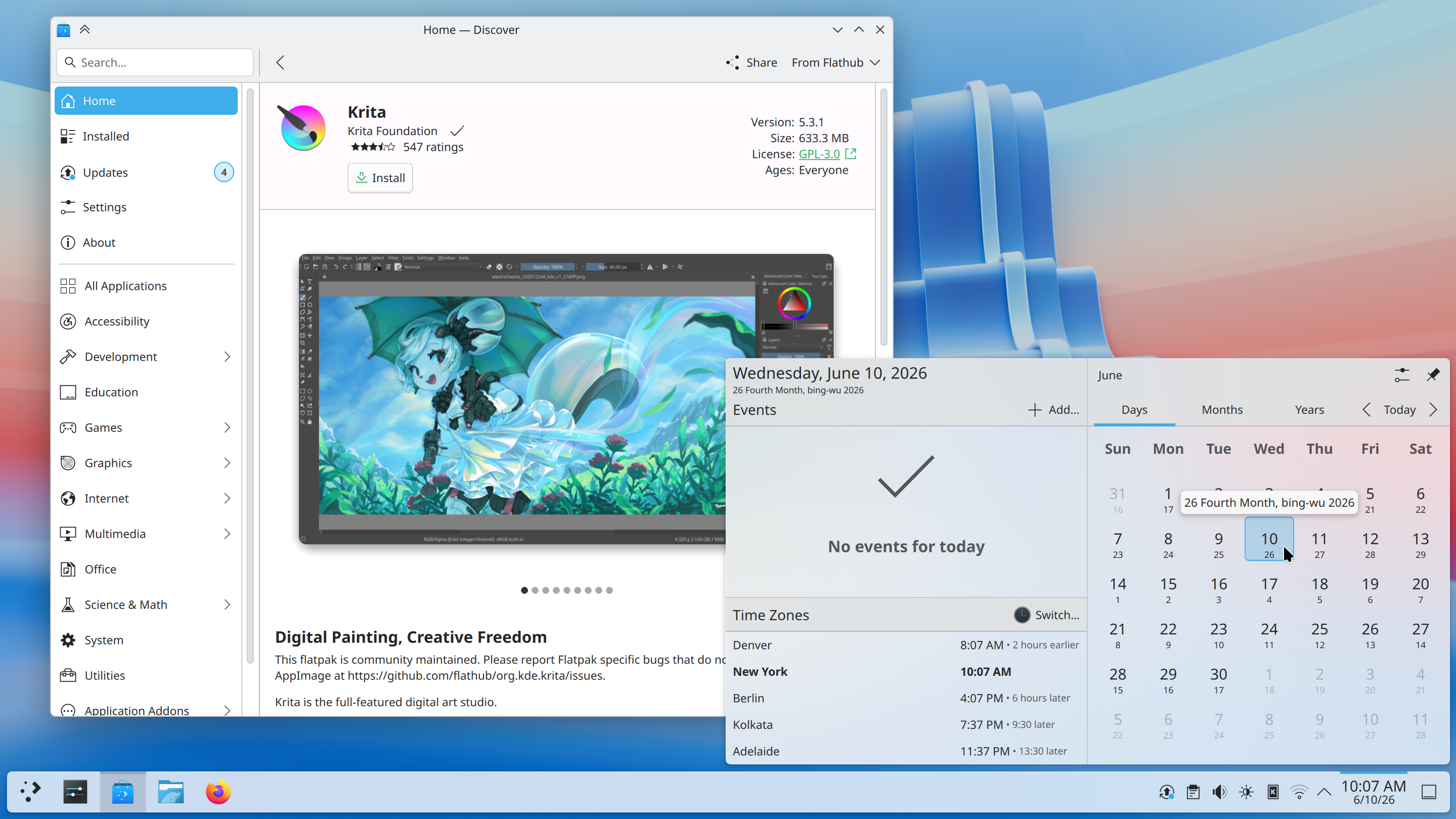 + +## 使用 + +### Kvantum + +Kvantum(包名为`kvantum`)是一个适用于KDE桌面环境的Qt主题引擎,用于自定义桌面外观和窗口样式。由于KDE的绝大多数预装应用都基于Qt,因此Kvantum十分适合于优化KDE的桌面外观,并能与KDE的丰富主题配合使用。 + +要使用Kvantum,您需要在安装Kvantum后,在KDE设置中的“应用程序外观样式”中选择`kvantum`或`kvantum-dark`。Kvantum主题需要通过Kvantum Manager应用进行管理与安装。 + + +### 扩展、主题等的安装 + +大多数KDE的扩展、主题等的来源为 https://store.kde.org/ 与 https://www.pling.me/ ,而在中国大陆网络环境下,在KDE自带设置中安装的体验十分痛苦。 + +所以对于大多数扩展、主题等,需要通过手动方式进行安装。手动安装有两种方式: + +#### 法一:源码自带安装脚本 + +!!! warning "网络问题" + 本方法需要访问Github,可能需要较好的网络条件。 + +这个时候,您只需要找到扩展或主题所对应的Github仓库(仓库里大多都带有安装教程与`install.sh`)。下载项目的ZIP包(Code-Download ZIP)后,按照安装教程运行安装(大多数为`bash install.sh`)即可。卸载同理。 + +#### 法二:手动复制 + +若选择此方法,您需要将主题商店提供的压缩包解压到文件夹中,并放到以下对应位置(按需求选择,用户安装指仅为本用户安装,系统安装则为所有用户安装): + +##### 用户安装 + + - 全局主题:`~/.local/share/plasma/look-and-feel/` + - Plasma 外观样式:`~/.local/share/plasma/desktoptheme/` + - 颜色:`~/.local/share/color-schemes/` + - 图标:`~/.local/share/icons/` + - 面板预设模板:`~/.local/share/plasma/layout-templates/` + - 任务切换器:`~/.local/share/kwin/tabbox/` + - 小部件:`~/.local/share/plasma/plasmoids/` + - 壁纸插件:`~/.local/share/plasma/wallpapers/` + - 窗口装饰:`~/.local/share/aurorae/themes/` + - 桌面特效(KWin 效果):`~/.local/share/kwin/effects/` + - KWin 脚本:`~/.local/share/kwin/scripts/` + - 登录屏幕(SDDM):无用户安装路径 + - 欢迎屏幕:`~/.local/share/plasma/look-and-feel/<主题名称>/contents/splash/` + +##### 系统安装 + + - 全局主题:`/usr/share/plasma/look-and-feel/` + - Plasma 外观样式:`/usr/share/plasma/desktoptheme/` + - 颜色:`/usr/share/color-schemes/` + - 图标:`/usr/share/icons/` + - 面板预设模板:`/usr/share/plasma/layout-templates/` + - 任务切换器:`/usr/share/kwin/tabbox/` + - 小部件:`/usr/share/plasma/plasmoids/` + - 壁纸插件:`/usr/share/plasma/wallpapers/` + - 窗口装饰:`/usr/share/aurorae/themes/` + - 桌面特效(KWin 效果):`/usr/share/kwin/effects/` + - KWin 脚本:`/usr/share/kwin/scripts/ (` + - 登录屏幕(SDDM):`/usr/share/plasma/lookandfeel/<全局主题名称>/contents/splash/` + - 欢迎屏幕:`~/.local/share/plasma/look-and-feel/<全局主题名称>/contents/splash/` + +(以上内容来自于[Plasma themes and plugins](https://develop.kde.org/docs/plasma/)) + +### 模糊效果 + +KDE Plasma 6的早期版本中,窗口模糊效果会[出现半透明的“伪模糊”](https://bugs.kde.org/show_bug.cgi?id=482294)。要解决该问题,您需要使用[kwin-effects-forceblur](https://github.com/taj-ny/kwin-effects-forceblur)进行修复。由于该BUG在近期版本中已经得到解决,此处不提供进一步的解决方案。
\ No newline at end of file |