
diff options
| -rw-r--r-- | docs/concepts/desktop/de.md | 2 | ||||
| -rw-r--r-- | docs/concepts/desktop/desktop_shell.md | 2 | ||||
| -rw-r--r-- | docs/concepts/linux/shell.md | 2 | ||||
| -rw-r--r-- | docs/concepts/operating_system/file_system.md | 2 | ||||
| -rw-r--r-- | docs/getting-started/before-installing.md | 18 | ||||
| -rw-r--r-- | mkdocs.yml | 1 |
6 files changed, 14 insertions, 13 deletions
diff --git a/docs/concepts/desktop/de.md b/docs/concepts/desktop/de.md index cebce59..ac0f1a8 100644 --- a/docs/concepts/desktop/de.md +++ b/docs/concepts/desktop/de.md @@ -6,7 +6,7 @@ 桌面环境(有时称为桌面管理器)是对图形化桌面的实现。通常由多个软件组成。一个桌面环境中的软件共享同一个图形用户界面。在一个典型的桌面环境中,这些软件提供给计算机用户窗口,文件夹,工具栏,壁纸、图标以及像拖放等图形化服务。不同桌面环境在设计和功能上的特性和理念,会赋予其与众不同的外观和使用体验。 -???+ note "一些常见的DE" +???+ example "一些常见的DE" - KDE (K Desktop Environment): 贴近Windows操作逻辑,有高度的自定义性与丰富主题  - GNOME: 贴近macOS界面,优雅、简洁,有多样的扩展(可能需要安装某些扩展、软件包来获得正常桌面体验) diff --git a/docs/concepts/desktop/desktop_shell.md b/docs/concepts/desktop/desktop_shell.md index 8aff196..0f8e4fc 100644 --- a/docs/concepts/desktop/desktop_shell.md +++ b/docs/concepts/desktop/desktop_shell.md @@ -6,7 +6,7 @@ 狭义来看,桌面外壳是指在**平铺窗口管理器**中,提供用户界面的应用套件。 -???+ note "常见的桌面外壳" +???+ example "常见的桌面外壳" - DMS (Dank Material Shell): 目前最广为人知的桌面外壳,采用Material You设计理念,现代而优雅。 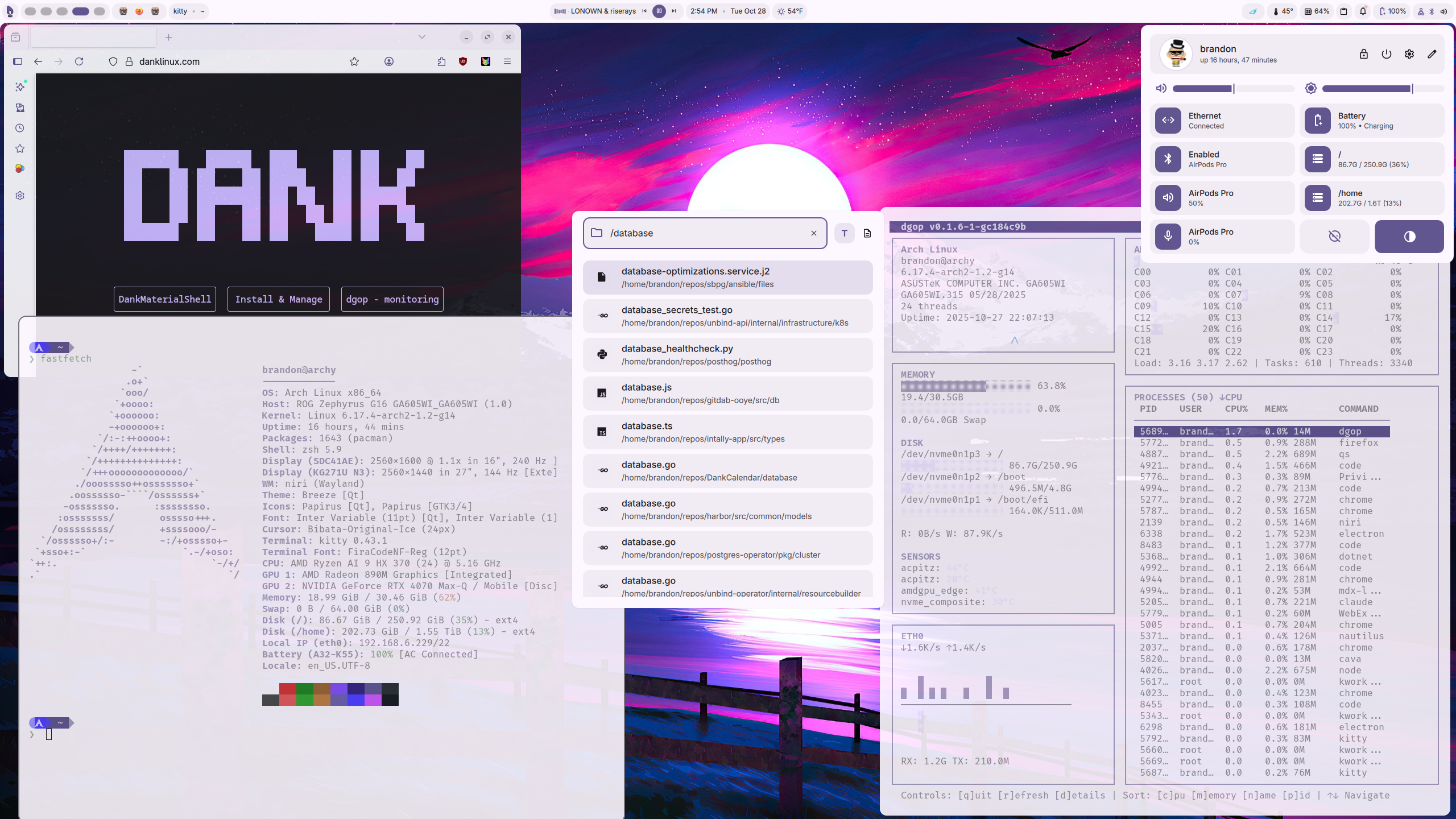 ??? info "安装教程" diff --git a/docs/concepts/linux/shell.md b/docs/concepts/linux/shell.md index 9eeb82c..9701057 100644 --- a/docs/concepts/linux/shell.md +++ b/docs/concepts/linux/shell.md @@ -11,7 +11,7 @@ Shell是用户与Linux内核直接对话的“窗口”,你可以将它理解ä !!! warning "消歧义" 终端是Shell的图形化呈现。尽管有Ptyxis、Konsole等等终端,但其所调用、运行的依然是诸如Bash等等的Shell。 -??? note "常见的Linux Shell" +???+ example "常见的Linux Shell" - Bash: 大多数Linux发行版预装的Shell,兼容性强,支持广 - Zsh: 自定义性强,有强大的自动补全功能,并兼容Bash语法 - Fish: 用户友好,人性化设计,易配置
\ No newline at end of file diff --git a/docs/concepts/operating_system/file_system.md b/docs/concepts/operating_system/file_system.md index 7dfcab4..7380e30 100644 --- a/docs/concepts/operating_system/file_system.md +++ b/docs/concepts/operating_system/file_system.md @@ -6,7 +6,7 @@ 文件系统是一种存储和组织计算机数据(如txt文件)的方法,它使得对存储设备(如硬盘、U盘)访问和查找变得容易,文件系统使用文件和目录的抽象高级概念代替了硬盘和光盘等物理设备使用数据块的概念,就像油画和照片的区别,不同的文件系统可以理解为不同的画派。 -???+ note "常见的文件系统" +???+ example "常见的文件系统" - Ext3 (Linux可用,已基本废弃) - Ext4 (Linux常用,推荐使用) - Brtfs (Linux可用,有众多高级特性,但不建议新手涉足) diff --git a/docs/getting-started/before-installing.md b/docs/getting-started/before-installing.md index e0796eb..b8f5be1 100644 --- a/docs/getting-started/before-installing.md +++ b/docs/getting-started/before-installing.md @@ -30,16 +30,16 @@ <span style="position: absolute; left: 2px; bottom: 2px;">难易度</span> <span style="position: absolute; right: 2px; top: 2px;">激进度</span> </td> - <td>激进</td> - <td>偏激进</td> - <td>偏保守</td> - <td>保守</td> + <td>前沿</td> + <td>偏前沿</td> + <td>偏稳定</td> + <td>稳定</td> </tr> <tr> <td>困难</td> - <td><a href=/distros/arch/archlinux>Arch Linux</a> / <a href=/distros/arch/artixlinux>Artix Linux</a> / NixOS Unstable</td> + <td><a href=/distros/arch/archlinux>Arch Linux</a> / <a href=/distros/arch/artixlinux>Artix Linux</a> / <a href=/distros/nixos>NixOS Unstable</a></td> <td>Guix Linux</td> - <td>Gentoo Linux / NixOS Stable</td> + <td>Gentoo Linux / <a href=/distros/nixos>NixOS Stable</a></td> <td>LFS (Linux From Scratch)</td> </tr> <tr> @@ -104,13 +104,13 @@ 我们建议您选择最新,并且预装您所需要的桌面环境的版本。 -???+ note "一些常见的发行版标签" +???+ example "一些常见的发行版标签" - x86-64/amd64: 大多数PC(一般选这个) - arm64/aarch64/armv8l/armv8a: 树莓派、IoT等设备 - desktop: 带桌面环境的系统(推荐) - server: 服务器用系统,无桌面环境 -???+ note "一些桌面环境/窗口管理器" +???+ example "一些桌面环境/窗口管理器" - [KDE](../desktop/de/kde.md) (K Desktop Environment): 贴近Windows操作逻辑,有高度的自定义性与丰富主题  - [GNOME](../desktop/de/gnome.md): 贴近macOS界面,优雅、简洁,有多样的扩展(可能需要安装某些扩展、软件包来获得较好的桌面体验) @@ -125,7 +125,7 @@ ## 烧录镜像 在下载对应镜像后,您需要下载对应的烧录软件来将系统镜像烧录到U盘中。 -???+ note "一些比较热门的烧录软件" +???+ example "一些比较热门的烧录软件" - [Ventoy](https://www.ventoy.net/cn/download.html)(推荐) ??? note "Ventoy使用指南" 在开始本教程之前,请准备一个**足够大**的 U 盘。足够大意味着**可以保存您要使用的的全部系统镜像。**请注意,**这将清除 U 盘上的所有数据**。 @@ -63,6 +63,7 @@ markdown_extensions: - attr_list - tables - footnotes + - md_in_html - toc: permalink: true |