
diff options
Diffstat (limited to 'docs')
| -rw-r--r-- | docs/distros/rhel/fedora.md | 13 | ||||
| -rw-r--r-- | docs/getting-started/before-installing.md | 50 | ||||
| -rw-r--r-- | docs/getting-started/install.md | 1 |
3 files changed, 58 insertions, 6 deletions
diff --git a/docs/distros/rhel/fedora.md b/docs/distros/rhel/fedora.md index 0210cbe..0252fc2 100644 --- a/docs/distros/rhel/fedora.md +++ b/docs/distros/rhel/fedora.md @@ -67,3 +67,16 @@ Fedora是一款前沿、开放的发行版,有着广泛的社区支持,并ä¸ - Python Classroom: 教育 - Scientific: 科学 - Security Lab: 安全 + +## 注意事项 + +### rpmfusion + +Fedora由于版权限制,无法内置H264/H265编解码器,因此需要手动添加源来安装。 + +镜像源: + - TUNA: https://mirrors.tuna.tsinghua.edu.cn/help/rpmfusion/ + - USTC: https://mirrors.ustc.edu.cn/help/rpmfusion.html + - CERNET: https://help.mirrors.cernet.edu.cn/rpmfusion/ + +在添加源后,请在终端运行`sudo dnf group install Multimedia`来安装编解码器。
\ No newline at end of file diff --git a/docs/getting-started/before-installing.md b/docs/getting-started/before-installing.md index 79c41ca..fd6b52f 100644 --- a/docs/getting-started/before-installing.md +++ b/docs/getting-started/before-installing.md @@ -2,11 +2,16 @@ ## 准备工具 -在开始之前,您需要准备好一个空U盘(建议8GB以上),并且关闭电脑的安全启动功能。 +在开始之前,您需要准备好一个空U盘(建议8GB以上),并且(最好)关闭电脑的安全启动功能。 + +各品牌、型号电脑关闭安全启动的方法不同,我们建议您使用AI或搜索具体解决方案,在此不做提供。 + ## 选择发行版 -下面是一些由我们排序的发行版,您可以点开各自的链接 (WIP) 来了解并比较。 +发行版选择至关重要,这会从根本上决定您的日常使用体验。我们建议您参考网络资料与用户评价进行选择。 + +下面是一些由我们排序的发行版,您可以点开各自的链接来**了解并比较**。 (越靠左越前沿,越靠上越困难) @@ -16,19 +21,52 @@ |简单&前沿 | 简单&适中 | 简单&保守 | --- | --- | --- -| [Fedora](../distros/rhel/fedora.md) | Ubuntu/Kubuntu, Linux Mint, Deepin/UOS | RHEL/Rocky Linux +| [Fedora](../distros/rhel/fedora.md) | [Ubuntu/Kubuntu](../distros/debian/ubuntu.md), Linux Mint, Deepin/UOS | RHEL/Rocky Linux 或者,你也可以试试我们制作的[趣味测试](https://lati-fun.pages.dev/)。 (部署于Cloudflare Pages,访问可能缓慢) ## 调配分区 -我们建议您通过专业的分区工具(如[DiskGenius])进行分区。您需要用分区工具在电脑硬盘上腾出40GB(建议值)的**空闲**空间。我们不建议直接创建分区,而是在安装时由安装程序进行创建。 +我们建议您通过专业的分区工具(如[DiskGenius](https://www.diskgenius.cn/))进行分区。您需要用分区工具在电脑硬盘上腾出40GB或以上(建议值)的**空闲**空间。我们不建议直接创建分区,而是在安装时由安装程序进行创建,这可以保证系统的稳定性。 -**请不要将Linux安装到任何NTFS文件系统的分区!Linux对NTFS的支持尚不完善!!!** +**请不要将Linux安装到任何NTFS文件系统的分区!Linux对NTFS的支持尚不完善!我们不建议使用Linux来调整NTFS分区!!!** **任何分区操作都存在风险,请您在操作之前确保已经备份了重要数据!!!** +## 下载镜像 + +您需要先到各发行版介绍中找到“镜像下载链接”下载系统镜像,我们建议您选择最新,并且预装您所需要的桌面环境的版本。 + +以下是一些常见的发行版标签: + + - x86-64/amd64: 大多数PC(一般选这个) + - arm64/aarch64: 树莓派、IoT等设备 + - desktop: 带桌面环境的系统(推荐) + - server: 服务器用系统,无桌面环境 + +一些桌面环境(您也可以在“桌面环境”(WIP)一章中进行比较): + + - KDE (K Desktop Environment): 贴近Windows操作逻辑,有高度的自定义性与丰富主题 +  + - GNOME: 贴近macOS界面,优雅、简洁,有多样的扩展(可能需要安装某些扩展、软件包来获得正常桌面体验) +  + - COSMIC: 拥有优秀的窗口管理机制,自定义性强 +  + - Hyprland: 平铺窗口管理器,具有炫酷的视觉效果,并拥有Wayland的最新特性,不过配置复杂,并且只建议在Arch Linux上获得最佳体验 + 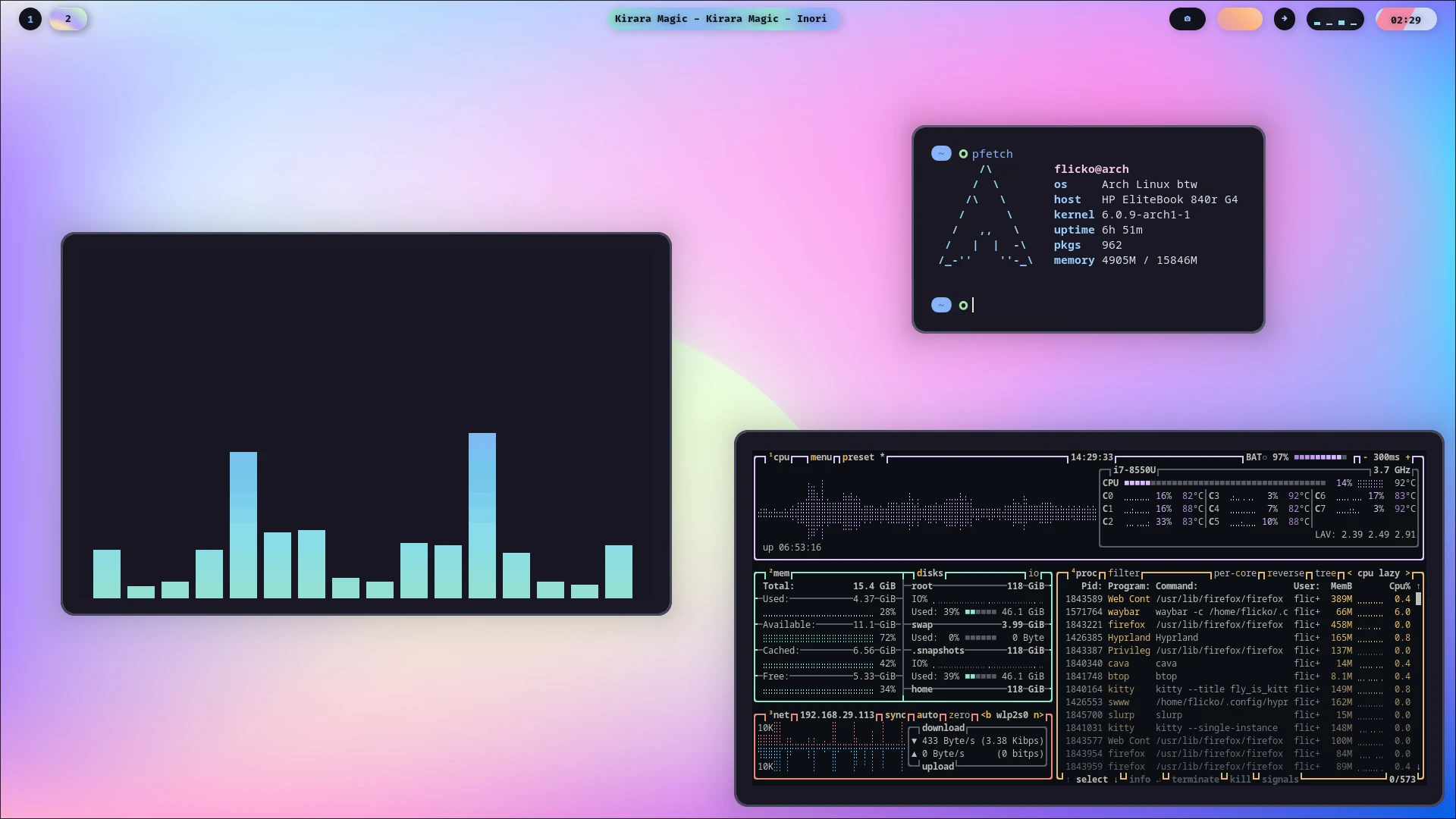 + - Niri: 滚动窗口管理器,比Hyprland更适合生产环境与触控板逻辑,同样配置复杂,但发行版覆盖范围广 +  + ## 烧录镜像 -在下载对应镜像后,你 +在下载对应镜像后,您需要下载对应的烧录软件来将系统镜像烧录到U盘中。下面是一些比较热门的烧录软件。 + + - [Ventoy](https://www.ventoy.net/en/download.html) + - [balenaEtcher](https://etcher.balena.io/) + - [Raspberry Pi Imager](https://www.raspberrypi.com/software/) + +**在烧录前,请确保您的U盘中没有重要资料!U盘的所有文件将被清空!!!** + +--- +好的,一切准备工作完成!打开下一章,开始踏入Linux吧! diff --git a/docs/getting-started/install.md b/docs/getting-started/install.md new file mode 100644 index 0000000..1ba122d --- /dev/null +++ b/docs/getting-started/install.md @@ -0,0 +1 @@ +# 安装系统
\ No newline at end of file |